Category: Digital Marketing

Practical analysis of search, advertising, social media and marketing measurement.

  • Meta Creator Marketing Hub: How Small Brands Can Plan Better Partnerships

    Meta Creator Marketing Hub: How Small Brands Can Plan Better Partnerships

    ← All articles
    Creator Marketing

    Meta Creator Marketing Hub: How Small Brands Can Plan Better Partnerships

    Finding a creator is only the beginning. A useful partnership needs the right audience, a clear brief and an organized plan for content, approvals and measurement.

    By Rahul Maheshwari · 22 October 2026 · 5 min read

    Creator profile cards connected to a storefront through a collaboration bridge.

    Why creator partnerships need an operating plan

    For a small brand, a creator partnership can offer a useful way to explain a product through a relevant voice. It can also create confusion when the audience, deliverables and paid-use expectations are agreed too late. A discovery tool helps with finding people; it does not replace the project brief.

    Marketing Dive reported in September 2026 that Meta launched its Creator Marketing Hub with discovery, messaging and ad-readiness features, with updates rolling out through the rest of the year. The report describes expanded Facebook and Instagram creator discovery capabilities. Availability should be checked in the actual business account.

    This guide uses that development as a starting point for an independent planning framework. It is not a promise that a particular creator, feature or campaign will produce a fixed return.

    Choose audience fit before follower count

    Begin with the customer question the partnership should answer. A creator who regularly explains garment fit may suit a clothing comparison. Someone known for general entertainment may have a larger audience without the same connection to the buying decision.

    Review several pieces of content, not one successful post. Look at subject consistency, presentation, audience questions and whether the creator can discuss the product naturally. Document what makes the fit plausible rather than relying on a broad label such as lifestyle.

    • Which audience need does the creator already serve?
    • How would the product appear in their normal content?
    • Are the examples and claims compatible with the brand?
    • Does the creator have the time and production approach the project needs?
    • What evidence can both sides reasonably review?

    Creator profiles reviewed against audience interests and a campaign brief.
    A useful shortlist connects the creator’s subject matter with the audience and offer.

    Write a brief that leaves room for the creator

    A clear brief describes the objective without scripting away the creator’s voice. Include the audience, product information, necessary factual points, prohibited or unsupported claims, deliverables and review process. Explain where the content will lead the viewer next.

    Separate factual requirements from creative preferences. Product accuracy may be non-negotiable; the way the creator demonstrates a use case may benefit from their judgment. A brief that treats every preference as a requirement can become difficult to execute.

    Brief essentials

    Objective · Audience · Offer · Accurate product facts · Deliverables · Review rounds · Timing · Usage scope · Measurement. Keep the current approved version accessible to everyone involved.

    Ask the creator to confirm the concept before production. A short outline or rough storyboard can reveal a mismatch earlier than a finished edit.

    Discuss usage before the content is finished

    Organic posting and paid advertising are different uses of creative work. Agree what the brand expects to do with the content, which accounts and placements are involved, the intended period and who handles the platform permissions. Record responsibilities clearly with the appropriate agreement and specialist input where needed.

    Do not assume a platform approval covers every possible reuse. A content file, a creator’s account permissions and a commercial agreement serve different purposes. Check music, third-party footage and other assets for the uses you actually plan.

    This is a project-management checklist, not a substitute for advice on a specific contract. The practical objective is to identify the decision early enough that both sides can price and approve the work accurately.

    Creative content, an approval checklist, calendar and lock representing organized permissions.
    Keep approvals, dates and usage responsibilities organized throughout the partnership.

    Use a simple delivery workflow

    1. Shortlist: document audience fit and the proposed creative role.
    2. Scope: agree deliverables, timing, approvals and intended use.
    3. Concept: confirm the idea before filming or design work begins.
    4. Review: check facts, product presentation and the agreed requirements.
    5. Activate: verify the destination, permissions and campaign setup.
    6. Learn: review useful outcomes and decide what should change next time.

    Keep a record of the approved asset version and any later edits. If several people can request changes, name one person to consolidate feedback. Contradictory comments can slow the project and weaken the creative.

    Define what a useful result looks like

    Match the evaluation to the objective. An educational collaboration may help customers understand a product difference. A campaign focused on inquiries needs a way to judge relevance, not only response volume. A store promotion should connect the campaign discussion to the business’s available order data.

    Distinguish the creative fee, production work, media spend and any other agreed costs. Otherwise, comparisons between partnerships can hide important differences. Record paid support when reviewing an organic post’s performance.

    Use the first collaboration to learn how well the operating process works as well as how the audience responds. A repeatable partnership needs reliable approvals and accurate information, not just an attractive first post.

    Frequently asked questions

    Should a small brand always choose a smaller creator?

    No. Size is only one consideration. Audience fit, creative approach, scope and the available budget should guide the shortlist.

    Does a platform hub replace a written brief?

    No. Discovery and workflow tools can help coordinate a partnership, but the objective and responsibilities still need to be agreed.

    Can I turn every creator post into an ad?

    Only consider the intended use after checking the necessary rights, account permissions, asset suitability and agreement with the creator.

    Need a clear campaign and content plan?

    Let’s turn the next step into a clear, practical plan for your business.

    Let’s talk →

  • Turn Social Videos Into YouTube Ads: A Practical Creative Testing Guide

    Turn Social Videos Into YouTube Ads: A Practical Creative Testing Guide

    ← All articles
    Video Marketing

    Turn Social Videos Into YouTube Ads: A Practical Creative Testing Guide

    You may already have a useful starting point for your next video campaign. Here’s how to adapt it thoughtfully, without treating repurposing as a copy-and-paste task.

    By Rahul Maheshwari · 22 October 2026 · 5 min read

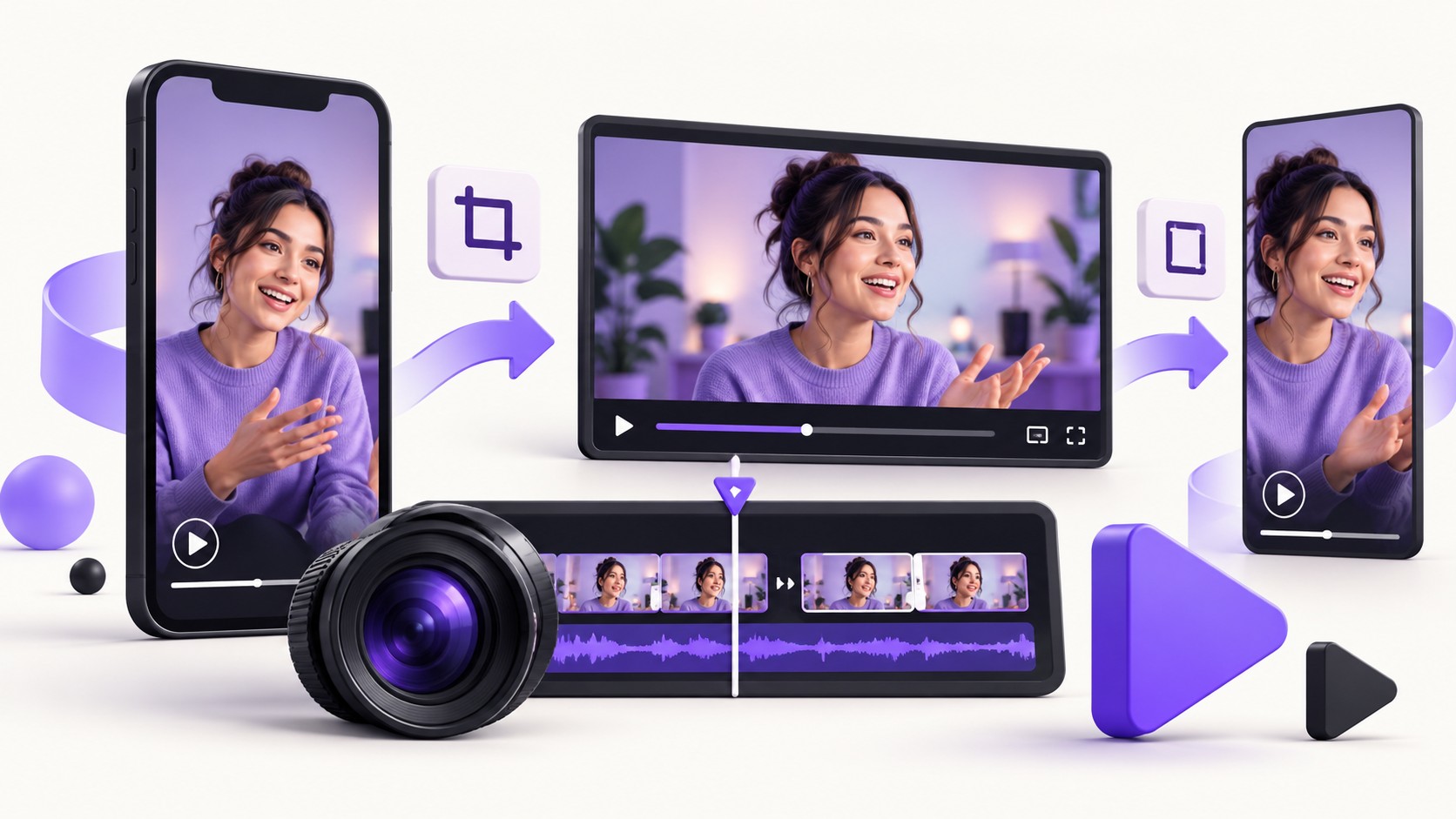
    Vertical social video adapted through an editing timeline into wide and vertical ad formats.

    Start with the material you already have

    Creating a video campaign does not always require a completely new production. A product demonstration, customer-approved explanation or useful social video can provide the foundation for an ad. The challenge is deciding what to keep, what to adapt and what the viewer needs to understand.

    Google’s 1 October 2026 Ads Decoded post encourages advertisers to begin with existing creative, follow asset requirements, review available creation tools and use data to guide testing. It also highlights quality and gradual changes rather than simply producing more assets.

    Repurpose the idea, review the execution

    A good social video can be a starting point. It still needs the right framing, permissions, message and destination for the advertising campaign you plan to run.

    Audit the video before you edit

    Choose a small set of candidates. For each one, write the audience, the problem it addresses, the product or service shown and the next step. If those points are difficult to identify, editing the format may not fix the underlying message.

    • Does the video explain something relevant to the campaign audience?
    • Is the product or offer understandable without reading the original caption?
    • Are claims accurate and still current?
    • Do you have permission to use the footage, people, music and other assets in paid advertising?
    • Does the destination page continue the same message?

    Avoid choosing solely by past view count. An entertaining post can be popular without helping someone understand your offer. Judge the candidate against the job the ad needs to do.

    Create a focused adaptation brief

    A short brief can prevent a long revision cycle. Specify the target audience, one main message, the evidence you can honestly show and the action the viewer should take. Then mark which parts of the original footage support that message.

    Make the opening specific

    Introduce the relevant problem, product or result clearly. Avoid a lengthy introduction that assumes the viewer already knows your business. The opening should help the right person recognize why the video matters.

    Make the middle useful

    Show a demonstration, explain a difference or resolve a common objection. Keep supporting information accurate. A conceptual illustration should not be presented as proof of a real customer outcome.

    Make the next step consistent

    The action in the video and the destination page should fit together. A service explanation should lead to the relevant service or inquiry journey. A product demonstration should not send viewers to an unrelated category.

    Storyboard and video-editing workspace with product, opening and action frames.
    A clear storyboard gives each edit a purpose before production begins.

    Check the format in the actual campaign workflow

    Use the platform’s current asset requirements when preparing exports. Review cropping, legibility, sound, captions and important visual elements in the placements you intend to use. Do not assume a file that looked correct in one social feed will work equally well everywhere.

    Google’s October post also mentions Asset Studio’s multimodal video creation. Treat any available AI creation tool as part of the production workflow: preview the output, check product accuracy, review claims and confirm brand suitability before approving it.

    Use a simple asset register. Include the file version, source footage, usage permission, intended campaign and approval date. That makes later edits and renewals easier to manage.

    Build a small test you can learn from

    Choose one meaningful question. You might compare an opening based on a customer problem with an opening based on a product demonstration. Keep other important elements similar enough to understand the result.

    Before launch, agree the primary outcome and how you will judge quality. A lead campaign should consider useful inquiries, not only video attention. An e-commerce campaign should consider the relevant business records and measurement limits.

    Record major changes and allow for the time your customer journey requires. If the landing page changes halfway through the test, document that context. A tidy test log is often more valuable than a dashboard containing many unlabeled variations.

    A practical test sheet

    Hypothesis · Audience · Message · Asset version · Destination · Primary outcome · Review window · Decision. Fill in each field before adding another creative variation.

    Three video thumbnail variations being compared on an abstract testing dashboard.
    Compare a clear hypothesis instead of generating variations without a decision plan.

    Respond to creative fatigue with evidence

    A decline in performance can have several explanations. Review delivery, audience, offer, website experience and measurement alongside the creative. Do not assume that every dip means a new video is needed.

    If a new asset is justified, change something purposeful: a different use case, a clearer demonstration or a better answer to an objection. Recoloring the same message repeatedly may create more files without improving the customer’s understanding.

    Frequently asked questions

    Can I reuse an organic video as an ad?

    It can be a candidate if it meets current requirements and you have the necessary paid-use permissions. Review the message and destination as well as the file format.

    How many versions should I create?

    There is no universal number. Start with a manageable set that answers a defined test question and fits your production and review capacity.

    Can AI create the final version for me?

    Creation tools can help, but the finished asset still needs human review for accuracy, permissions, brand fit and campaign suitability.

    Want to connect creative with a campaign plan?

    Let’s turn the next step into a clear, practical plan for your business.

    Let’s talk →

  • Google Ads’ New Budget Controls: A Practical Guide for Small Businesses

    Google Ads’ New Budget Controls: A Practical Guide for Small Businesses

    ← All articles
    Google Ads

    Google Ads’ New Budget Controls: A Practical Guide for Small Businesses

    More control over where your budget goes—provided you understand what the settings actually do. A practical guide to Google’s October 2026 update.

    By Rahul Maheshwari · 22 October 2026 · 5 min read

    Conceptual advertising dashboard with channel modules, priority paths and budget sliders.

    What changed—and why it matters

    Small businesses often face an uncomfortable choice: keep a channel active with limited confidence about its role, or turn it off completely. Google’s 14 October 2026 announcement introduces channel prioritization and budget allocation as more flexible controls. The rollout covers several campaign types, but availability and the supported settings vary.

    This article explains the announcement and proposes a review process. It is not a recommendation to change every campaign immediately. Start with your account’s available controls and the business outcome you want to protect.

    Two separate decisions

    Priority helps express which channel group should be funded first. Allocation can set a desired spending boundary for an eligible low-priority channel. Neither replaces a good offer, reliable conversion measurement or a useful landing page.

    Understand the controls before using them

    Google’s current help documentation describes High and Low priority levels. Budget allocation is based on a percentage of the average daily budget, not actual spend, and works on a best-effort basis. It is not a guaranteed daily spending ceiling.

    Important limits: Demand Gen supports prioritization but not budget allocation. In Performance Max and Demand Gen, Google surfaces are grouped as Google channels; this is not a separate slider for every individual surface. Priority may have little effect for target-based bidding when a campaign is not budget-limited. Confirm the account, campaign and shared-budget rules before making changes.

    The documentation also describes a February 2027 change to Search campaigns using Display Expansion. Review that section for your setup rather than copying a configuration from an unrelated account.

    Review the evidence before changing a setting

    Make a short decision sheet for the campaign. Record the goal, bidding approach, budget, channel setup and the date of your review. Then connect the advertising report to a business record: qualified inquiries, completed orders or another outcome that matters.

    A cheap action can still be a poor result if it rarely becomes useful business. Conversely, a more expensive inquiry can be valuable if the team can serve it profitably. Use a consistent definition instead of judging channels by clicks alone.

    • What is the primary business outcome?
    • Are events recorded correctly and without obvious duplication?
    • Is there enough representative data to support a decision?
    • Did the offer or landing page change during the comparison?
    • Can the team handle the inquiries or orders the campaign generates?

    If the records are unreliable, fix the measurement issue first. A new allocation setting makes an unclear decision more precise; it does not make it better informed.

    Campaign review workspace with a checklist, calendar and lead-quality records.
    Start with the business evidence and a documented review. Conceptual illustration.

    A simple way to plan a test

    Suppose a local service business wants to explore a secondary channel while keeping attention on its main source of qualified inquiries. The first step is to describe the hypothesis: “This channel may bring additional relevant inquiries at an acceptable cost.” That is more useful than “Let’s see if this setting improves performance.”

    Document what stays consistent, what changes and what evidence would make you stop or continue. Keep a record of lead quality as well as volume. If the business has a long sales cycle, allow for that delay in the review.

    Illustrative, not a client result

    This scenario is a planning example. It does not predict a particular cost, sales uplift or budget split. Choose settings using your campaign constraints and actual account data.

    Change deliberately, then review

    Where practical, avoid changing creative, targeting, landing pages and allocation at the same time. Otherwise, an improvement or decline becomes harder to explain. Write down the exact change and the intended effect so the next review has context.

    Check that the new setup is operating as expected. Review channel spending alongside outcome quality and the overall campaign objective. A priority label does not mean a channel will receive a fixed share of spend, and a desired allocation is not a promise of exact daily delivery.

    Keep an operational fallback: record the previous settings and agree who can approve another change. A repeatable review process helps prevent reactive adjustments based on a single day’s results.

    Two advertising test paths feeding into a neutral comparison dashboard.
    A controlled comparison is easier to interpret than several simultaneous changes.

    Questions business owners should ask

    Will these settings reduce my cost per lead?

    There is no guaranteed outcome. Their purpose is to give you more control over distribution. Results still depend on the offer, market, measurement, bidding and customer journey.

    Can I use them in every account today?

    Availability depends on rollout timing and campaign eligibility. Check the actual account and current help page before planning an implementation.

    What should I do first?

    Review one campaign’s outcome definition and channel evidence. A clear decision for one useful test is a stronger starting point than changing account-wide defaults without context.

    Need help reviewing your campaign setup?

    Let’s turn the next step into a clear, practical plan for your business.

    Let’s talk →

  • AI Search SEO in 2026: What Google’s New Links Mean for Small Businesses

    AI Search SEO in 2026: What Google’s New Links Mean for Small Businesses

    Research checked: 17 October 2026 · Practical analysis for small-business owners and marketing teams

    AI search SEO has become a practical question for small businesses: if people receive an answer inside a search interface, what makes them choose to visit your website? Google’s latest changes put that question back on the editorial agenda. The answer is to build pages that deserve the next click and make those pages easy to understand.

    The short version

    Google is changing how links appear in its AI search experiences. Treat this as a reason to improve your original content, source clarity and customer journey—not as evidence that a special optimization trick guarantees inclusion.

    What changed in October 2026?

    On 15 October, Google announced updates to AI Mode and AI Overviews involving more prominent inline links, tests of dedicated official-site links, expanded timely-article carousels and changes to related-article links. It also described testing clickable creator and publisher names on video results. Some elements are tests or rollouts, rather than universal features available to everyone. Read Google’s October announcement.

    The business implication is an interpretation: when a search interface offers several routes to supporting material, your page needs a clear reason to be that supporting material. An announcement about links does not establish that your traffic will rise, or that any individual website will receive a citation.

    AI search SEO still starts with a useful website

    Google’s site-owner guidance for AI features says established SEO practices remain relevant and that no special AI markup is required. Pages must be indexed and eligible for search snippets to be considered as supporting links. Eligibility does not guarantee appearance.

    For a business owner, that suggests a sensible order of work: resolve basic access and content problems before buying a new category of optimization service. A page that hides the answer behind vague copy is unlikely to become more useful because a new acronym appears in a proposal.

    Five improvements worth making before creating more articles

    1. Give each page a specific job

    A service page helps someone decide whether to inquire. A comparison helps them understand trade-offs. A tutorial helps them complete a task. Avoid mixing all three into a generic introduction that never reaches a decision. Write the page’s purpose in one sentence before editing it.

    For example, a WooCommerce article could explain how product variations affect catalog preparation. That is more useful than repeating that e-commerce helps businesses grow. Link readers who need implementation help to a relevant WordPress and WooCommerce service page.

    2. Add information only your business can supply

    Use approved examples, a real process, a clearly described limitation or a worked demonstration. If you show a sample checklist, label it as a sample. If you discuss a project, secure the necessary permission and explain your actual role. Do not invent customer results to make a page look more authoritative.

    A small but precise example can answer a buyer’s question better than a long list of unsupported claims. Show what a deliverable contains, what the client needs to provide and where the service stops.

    3. Make authorship and update dates meaningful

    Name the person or team responsible for the content. Use a visible checked date when the article depends on software versions or a current announcement. Update the substance when facts change; changing a date alone does not create a better resource.

    4. Improve the next step after the answer

    Ask what a reader should do once the immediate question is resolved. A checklist might link to a deeper guide; a technical explainer might link to a scoped service. Keep the destination relevant. Sending every reader to the same generic contact message can make the journey feel disconnected.

    5. Keep the information understandable without decorative effects

    Use descriptive headings, concise paragraphs and readable tables. Provide important information as text rather than only inside an image. Use diagrams when they clarify a process. These are editorial choices that also improve the experience for readers who skim, use a phone or rely on assistive technology.

    Measure useful visits rather than collecting screenshots of citations

    Create a small review sheet for your priority pages. Record the business question each page answers, its search visibility, relevant visits and the quality of resulting inquiries. Keep acquisition reporting and lead qualification connected where your setup permits it.

    Do not assume every change in organic traffic was caused by AI search. Record website releases, seasonal demand, campaign changes and tracking issues alongside the numbers. A manual observation of a search result can be useful context, but one screenshot is not a complete performance report.

    A practical 30-day plan

    Week 1: audit three priority pages. Week 2: improve their answers, examples and internal links. Week 3: test the inquiry journey and measurement. Week 4: review early signals and define the next improvement. This is a proposed workflow, not a promise of results within 30 days.

    Questions to ask an AI SEO provider

    • Which concrete customer question will each recommended change answer?
    • What is the source for the claimed technical requirement?
    • How will you distinguish observed performance from an assumption?
    • What content or access will you need from my business?
    • What would make you revise your recommendation?

    Frequently asked questions

    Do I need a separate website for AI search?

    For Google’s AI search features, the official guidance points back to the existing website and established search requirements. Start by improving the site you already operate.

    Does clearer linking mean more traffic is guaranteed?

    No. The announcement describes product changes, not a guaranteed traffic outcome for any publisher. Evaluate your own business results over time.

    Should I remove my current SEO work?

    Review what it delivers before changing direction. Technical access, useful content and relevant internal links remain a sensible foundation.

    Make the click worthwhile

    The useful response to AI search is a stronger website: clearer answers, credible examples and a relevant next step. If you need help reviewing service pages and content priorities, explore my SEO and content services and analytics support.

    The recommendations in this article are an independent practical framework, not platform promises or results from a client campaign. Feature availability and rollout details can change.

  • Google Demand Gen’s October 2026 Update: Fix Your Data Before Scaling Spend

    Google Demand Gen’s October 2026 Update: Fix Your Data Before Scaling Spend

    Research checked: 17 October 2026 · Practical analysis for small-business owners and marketing teams

    Demand Gen data quality is receiving renewed attention as Google expands its measurement tools. For a small business, the important question is straightforward: does the campaign receive and report signals that reflect outcomes your business actually values?

    A new dashboard metric cannot resolve an unclear definition of a lead. Before increasing spend, review what your tracking records, where the information comes from and how the team decides whether an inquiry became useful business.

    The decision to make

    Improve the reliability of your inputs before treating additional reported conversions as proof of additional sales. Better measurement and better business performance are related questions, but they are not the same question.

    What Google announced on 13 October

    Google’s October Demand Gen update highlights the Data Strength Uplift metric, expansion of Data Manager into Google Analytics and Display & Video 360, and enhanced conversions described as coming soon to those products. Check the status in your account and the linked product documentation before planning implementation.

    The announcement also includes performance claims based on Google’s own analysis. Those are vendor-reported results from defined samples, not a forecast for your business. This guide does not use those percentages as a budget assumption.

    In its September measurement announcement, Google distinguishes strengthening data inputs from evaluating causal business impact. That distinction matters when someone asks whether a reporting improvement means the campaign created more demand.

    Start with a measurement map

    Before touching campaign settings, sketch the route from the ad interaction to the business outcome. For a service business, the route might be a website inquiry, a qualification call, a proposal and a completed sale. For a store, it may involve an order, payment, cancellation and refund.

    Write down which system holds each stage and who owns it. A marketing team may see form submissions while a sales team knows which ones were relevant. If those definitions never meet, optimization discussions can reward volume while overlooking quality.

    A five-part data-quality audit

    1. Define the outcome before naming the event

    Explain what success means in plain language. “A person asks about a service we actually provide” is a business definition. An event label is the technical record of an action. Decide how closely the two align and document the gaps.

    Keep secondary actions visible without treating them as equivalent to revenue. Viewing a contact page, starting a form and paying an invoice represent different levels of intent.

    2. Look for duplicate and missing records

    Use an agreed test path to check whether the same action is counted more than once or disappears between systems. Keep test records identifiable and avoid mixing them into normal sales reporting. Document the expected record at each stage before making changes.

    Do not assume the tracking is correct because an event appears in a dashboard. Compare a small number of known actions with what each tool records.

    3. Review identifiers, permissions and responsibilities

    Identify what data a connection needs, why it is needed and which approved process controls access. Do not copy customer records into a new tool simply because a connector exists. Involve the people responsible for privacy, platform policies and business data handling when the setup requires their decision.

    This article is an operational checklist, not a legal interpretation of a particular consent arrangement. Confirm the requirements for your actual implementation.

    4. Separate platform attribution from business records

    An advertising report and an order system answer different questions. Keep a clear definition of revenue, qualified leads and reporting periods. When totals differ, investigate the reason rather than forcing every dashboard to match a preferred number.

    Record known delays between an inquiry and a sale. A same-day comparison can be misleading when the sales process takes longer.

    5. Set a rule for budget decisions

    Agree what evidence would justify increasing, holding or reducing spend. Include outcome quality and operational capacity, not only the cheapest reported action. If the sales team cannot respond to inquiries, a bigger campaign may expose an operating problem rather than solve it.

    Illustrative scenario

    A business receives more form submissions after a tracking change, but qualified opportunities remain flat. First check duplicate counting, event definitions and lead mix. Do not label the change a sales improvement until the underlying business records support that conclusion. This is a hypothetical example.

    A staged implementation plan

    1. Baseline: record current campaign settings, event definitions and reporting gaps.
    2. Validate: test a small set of known actions through the agreed journey.
    3. Connect: implement only the approved, relevant data connections.
    4. Observe: review platform reporting alongside business outcomes.
    5. Decide: change budget only when the evidence and business capacity justify it.

    Change one important part of the measurement setup at a time where possible. Record the date and the intended effect so future reporting reviews have context. Your measurement history becomes much more useful when someone can explain why the numbers changed.

    Questions to include in your reporting meeting

    • Which conversion definition changed this month?
    • How many inquiries became qualified opportunities?
    • What data is missing or delayed?
    • Did the offer, creative or landing page change at the same time?
    • What evidence would change our current interpretation?

    Frequently asked questions

    Should every small business use every new measurement feature?

    No. Begin with the decisions you need to make and assess whether the feature fits your account, data, permissions and implementation resources.

    Does a conversion uplift metric prove incremental sales?

    Do not treat additional measured conversions as automatic proof of additional sales caused by advertising. Review the metric definition and the business evidence behind your conclusion.

    What should I fix first?

    Start with unclear outcomes and unreliable event recording. A more elaborate dashboard will not repair an ambiguous definition of success.

    Build a stronger foundation for campaign decisions

    Demand Gen’s latest announcements make data quality a timely discussion. Your first step can still be small: map the journey, test the records and agree what a useful outcome means. For implementation help, explore my analytics and reporting support and Google and Meta Ads management. You can also review these common Google Ads mistakes.

    The recommendations in this article are an independent practical framework, not platform promises or results from a client campaign. Feature availability and rollout details can change.

  • Facebook’s “Your Algorithm” Update: A More Relevant Content Strategy for Brands

    Facebook’s “Your Algorithm” Update: A More Relevant Content Strategy for Brands

    Research checked: 17 October 2026 · Practical analysis for small-business owners and marketing teams

    Facebook’s Your Algorithm announcement adds a timely question to brand content planning: if people can explain more directly what they want to see, how clear is your content about the audience it serves?

    For a small business, this is a reason to revisit relevance, not to start chasing a new posting trick. A useful social post makes its subject and value understandable quickly. A consistent content series gives the right audience a reason to return.

    The useful takeaway

    Treat the update as a prompt to sharpen your audience promise and content experiments. It is not evidence that a particular format, posting frequency or keyword will guarantee reach.

    What Meta announced on 13 October

    Meta says it is rolling out new Facebook tools that let people shape Feed and Reels recommendations using their own words. Its Your Algorithm announcement describes managing interests, more detailed feedback after Interested or Not interested actions, and access through an updated three-dot menu.

    The announcement concerns user-facing recommendation controls. It does not establish a new advertising targeting option, a universal distribution formula or a guaranteed benefit for business pages. Availability can vary during a rollout.

    The interpretation in this article is editorial: clearer audience relevance is a sensible content priority when people gain more ways to express their interests. The working plan below is an independent proposal, not Meta’s official growth formula.

    Write an audience promise before the next caption

    Complete this sentence: “We help this audience understand or do this specific thing.” Keep it narrow enough to guide a real decision. “We post about business” does little work. “We help independent retailers prepare better product pages” gives the team a useful boundary.

    Check your recent posts against that promise. Which ones clearly serve it? Which ones exist because a template was available or a trend was popular? A broad subject can belong on the page, but it should still connect to the audience’s needs.

    Build three repeatable content series

    1. Solve a recurring question

    Choose questions that come up in actual conversations. A website developer could explain what a client needs to prepare before a redesign. A retailer might compare two product options without hiding the trade-offs. Use one main question per post so the message stays focused.

    Keep a simple log of questions from comments, sales calls and support requests. Remove identifying details before using an example publicly. The goal is a reliable editorial source, not a collection of private customer stories.

    2. Show a process people rarely see

    Explain how work gets done: preparing a catalog, reviewing a landing page or checking a campaign report. Show the decision behind the action rather than only a polished final result. If the example is a demonstration, label it clearly.

    Process content can help someone judge whether your approach fits their needs. It also gives you useful material without pretending every post is a new industry breakthrough.

    3. Help the audience make a choice

    Use comparisons, checklists and practical limitations. A post about WordPress versus Shopify should explain which requirements influence the decision, rather than announcing a winner for every business. Invite a useful follow-up question that reveals what the audience still needs to understand.

    Link to a relevant resource when the short post cannot carry the whole explanation. Your blog can hold the deeper guide, while the social post introduces a specific question.

    A four-week content experiment

    This is a proposed testing structure, not a platform-prescribed schedule. Choose a workload your team can sustain. A small, documented experiment is easier to learn from than a daily posting target that produces filler.

    WeekWork to completeQuestion to review
    1Audit recent posts and define one audience promise.Can the team explain whom each post serves?
    2Publish a manageable set of question-led and process-led posts.Which topics produce useful responses?
    3Test a different opening or presentation on a comparable topic.Did clarity improve, or only surface attention?
    4Review outcomes and choose what to continue.Which series deserves another month of work?

    Keep the offer and the landing destination consistent when you are comparing two presentations. If the topic, audience, format and call to action all change, you will have less confidence about what caused a difference.

    Look beyond a single engagement number

    Decide what the content is intended to accomplish. An educational post might create informed questions. A service explanation might lead to a relevant inquiry. A product comparison might help shoppers choose the right item. Choose a review method that fits that purpose.

    Where your tools provide them, review distribution, meaningful responses and website actions together. Read the comments as well as counting them. Several thoughtful questions from potential customers may be more useful than a large amount of unrelated interaction.

    Keep organic content and paid campaign analysis separate enough to interpret them. If a post receives advertising support, record that fact. Do not claim an organic content breakthrough when the comparison also includes a major spend change.

    A practical caption check

    Before posting, ask: Who is this for? What will they learn? Is the opening specific? Is the example accurate? Is the next step relevant? Could the visual mislead someone about the result or the product?

    What to avoid

    • Presenting a user recommendation feature as a new advertiser targeting capability.
    • Promising a reach increase because a platform announced a rollout.
    • Adding unrelated trending phrases to every caption.
    • Repeating generic AI-generated advice without checking its usefulness.
    • Using a demo or stock illustration as evidence of a real customer outcome.

    Frequently asked questions

    Does this update apply to every Meta app?

    The announcement discussed here is specifically about Facebook Feed and Reels controls. Do not assume the same interface or rollout applies to every other Meta product.

    Should I change my entire content strategy immediately?

    No. Start with a small audit and a defined experiment. Keep the content that serves your audience well and test changes deliberately.

    Can I use this feature to target my ads?

    The cited announcement does not establish an advertiser targeting control. Review advertising capabilities through the relevant account documentation rather than inferring them from a consumer feature.

    Make relevance visible

    A strong content strategy tells the right person why a post matters. Use the latest Facebook news as a reason to refine that clarity, then judge the work against useful audience and business outcomes. For support connecting content with your wider marketing, explore my content services, campaign management and reporting support.

    The recommendations in this article are an independent practical framework, not platform promises or results from a client campaign. Feature availability and rollout details can change.